🎯 Tips and Tricks – Get the Most Out of JustReminisce
Welcome to JustReminisce – your memory vault, reunion tracker, and personal nostalgia space. Here are some simple ways to get the most out of it.
📌 1. Add Your Memories to the Timeline (Private & Hidden)
Go to one of your Private or Hidden groups (for example, a school, workplace, or club) and open the Memories tab.

- Click Add New Memory
- Fill in your Memory Name, Description, and Dates
- Click Create New Memory – it will appear on your timeline
- When you’re finished, click Save All Memories
Pro tip: Keep each memory short and meaningful – just enough to bring that moment back.
🧪 2. Test Your Memory
Every memory has a Test my Memory button.
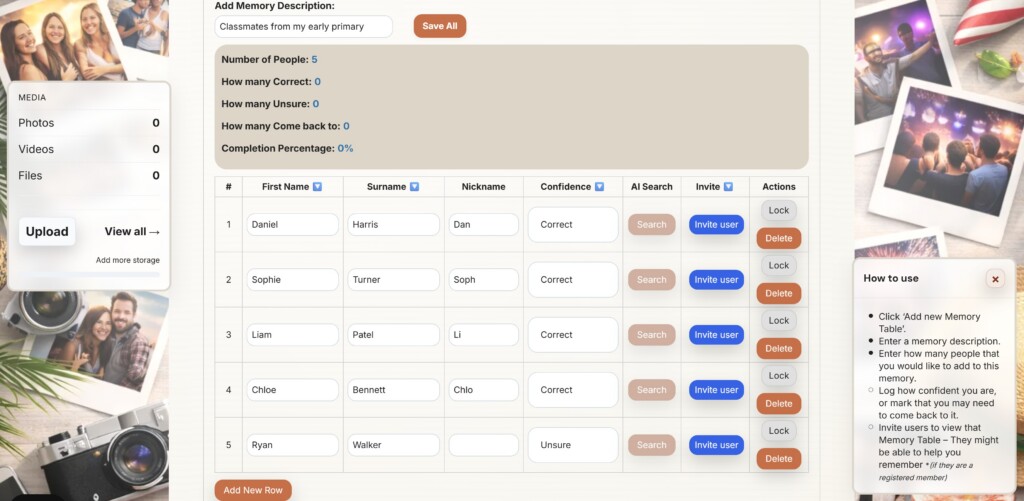
- Use it to recall names, nicknames, and roles
- It opens a private test page just for that memory
- Mark each person as Correct, Unsure, or Come back to
- Use the progress bar to see how well you remember things
You can revisit your test anytime and update it as your memory sharpens.
📸 3. Add Group Photos or Videos
Bring your memories to life with visuals.
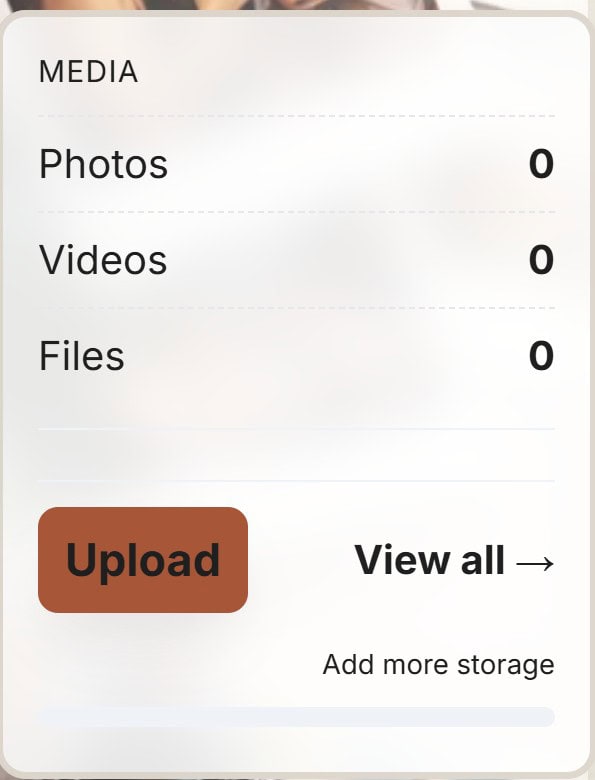
- Go to your group and open the Photos & Videos area
- Upload pictures, reunion clips, or scanned keepsakes
- (Optional) Tag them with the relevant memory or year
Media makes your memories easier to relive and share with others.
👥 4. Reconnect with People
Use search to find friends, classmates, or old colleagues.
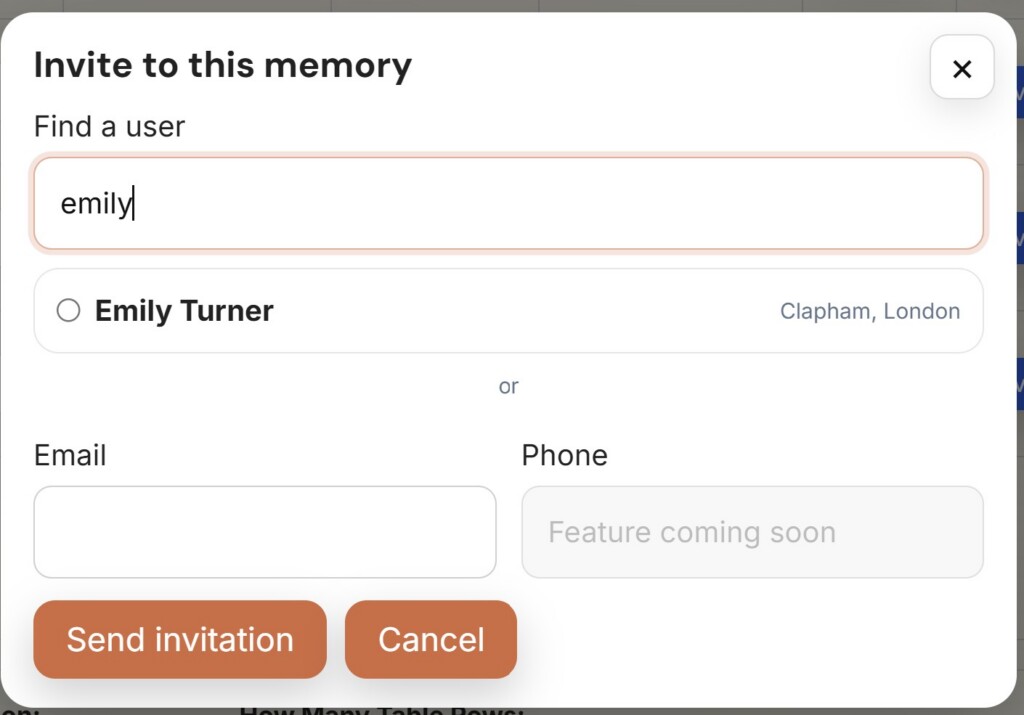
- Search by name, nickname, or group
- Once you find someone you recognise, you can:
- View your shared memories
- Send them a message
- Invite them to join or revisit a memory
Pro tip: Use the Unsure option in memory tests to track people you think you recognise but want help confirming.
🧭 5. Explore Other Groups
Your own memories are just the beginning.
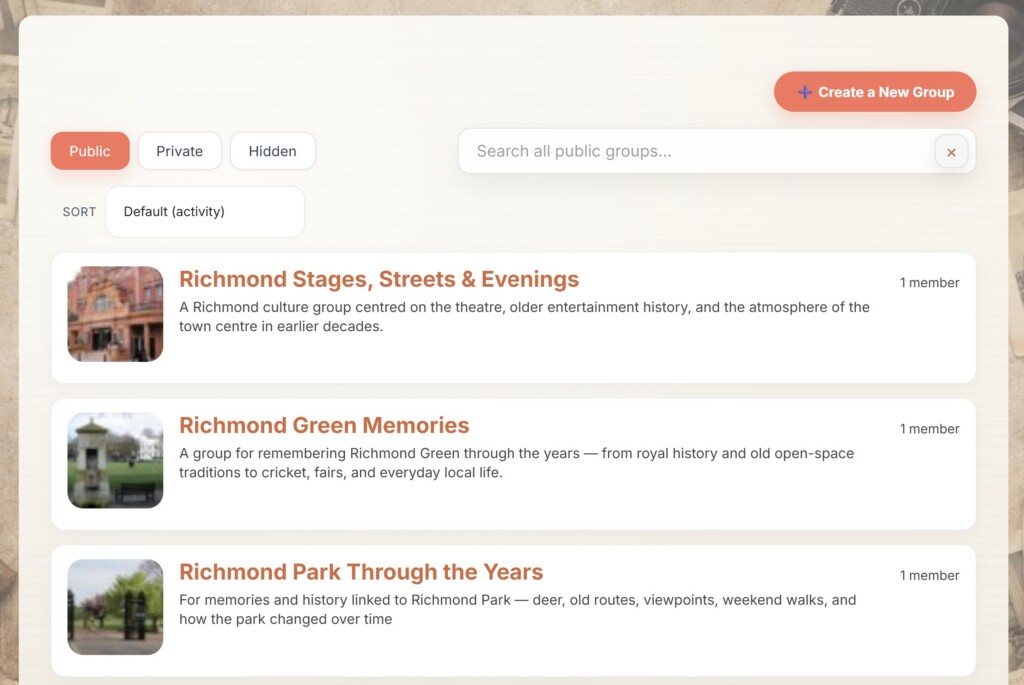
- Browse public groups that match your interests or history
- Discover parallel stories and similar experiences
- Jump in and contribute if you recognise someone or something
The more people share, the easier it becomes to reconnect.
🔐 6. Your Data Is Private
You stay in control of what you share.

- Memories are saved under your profile
- Test my Memory pages are private unless you share the link
- You decide who sees your groups, media, and activity
- You can edit or delete your entries at any time
🚀 Coming Soon…
We’re planning new features to make your memories even more powerful:
- Export your memory timeline
- Collaborative memory-building with friends and family
- Memory challenges and quizzes
- Introduction of AI powered tools – including AI searches and support.
Thanks for being part of JustReminisce.
Every memory matters – especially yours.
🕰️ Start reminiscing today.